Operation
System Flow
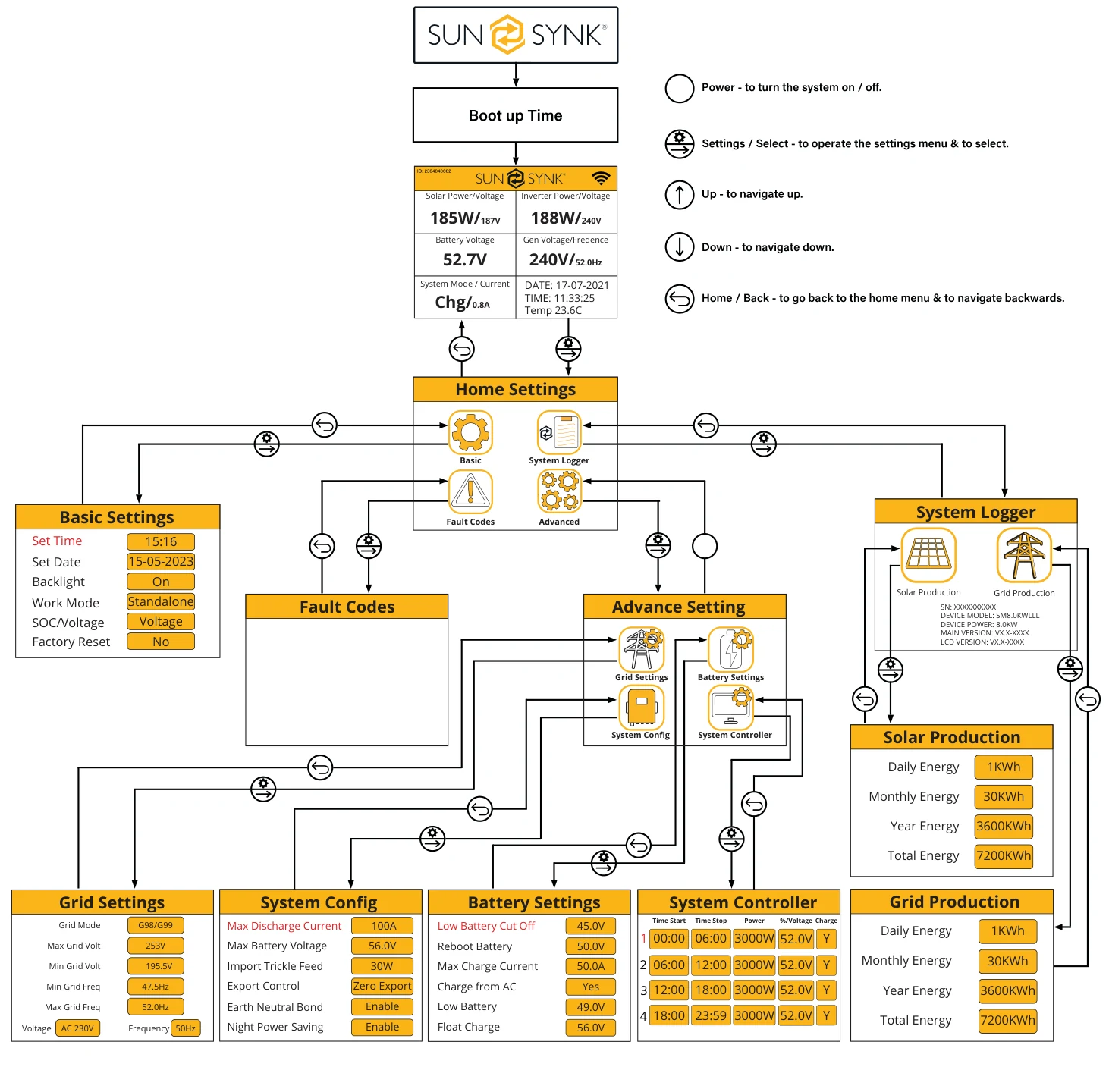
Switching On / Off
Once the inverter has been correctly installed and the batteries are connected, press the on / off button (located on the front of the case) to turn on the system.
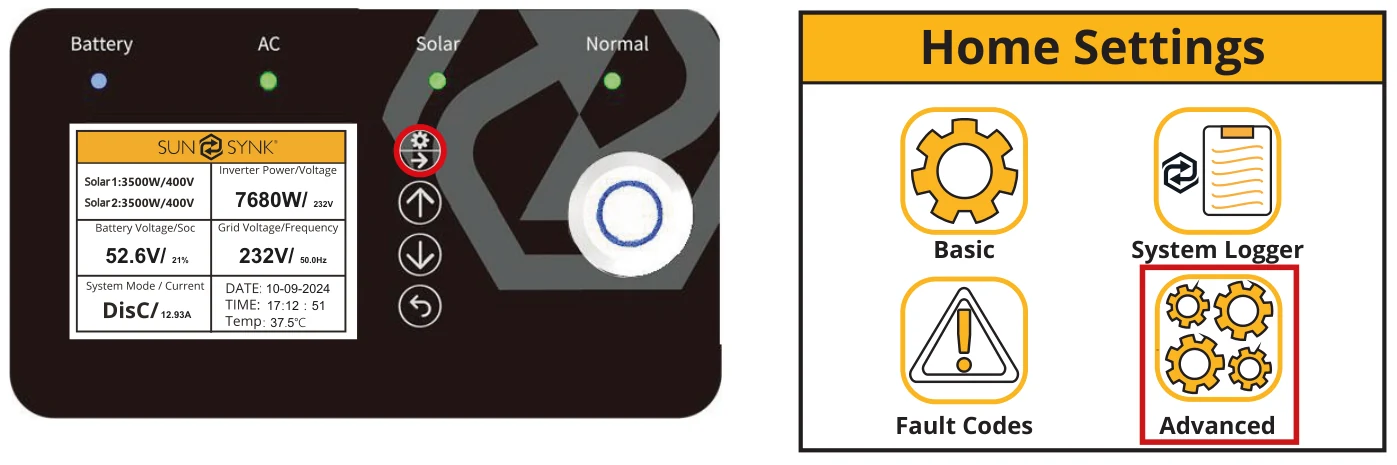
Home Screen
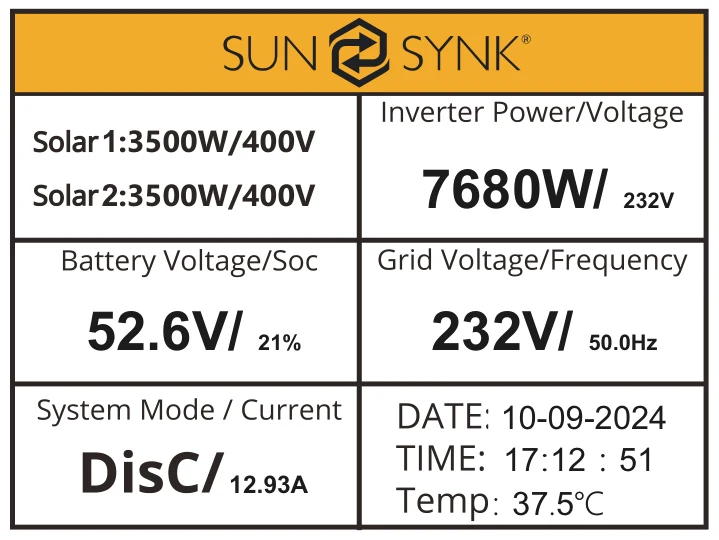
What does this page display?
- Solar MPPT Input Power 1&2
- Battery Voltage
- System Status
- Inverter Current Power
- Grid Voltage and Frequency
- Date / Time
What you can do from this page
- If you press the select button you can navigate to the basic setup menu
- If Sunsynk Connect has been connected, the WI-FI icon appears
- Access the CT screen by pressing the Home/Back button
Home Settings
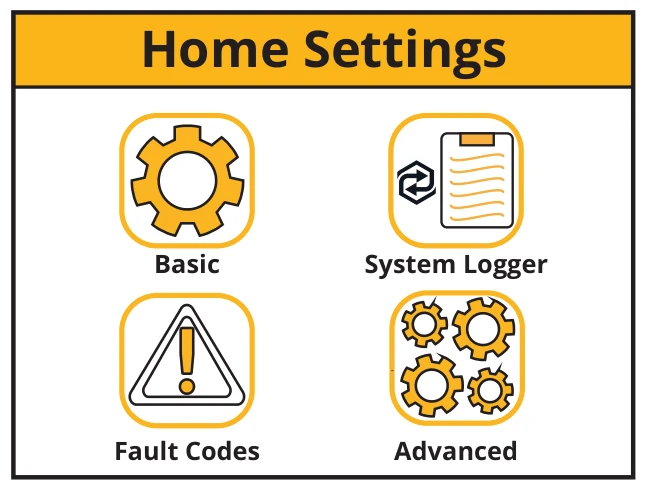
What does this page display?
- Basic setting icon
- System logger icon
- Fault codes icon
- Advanced settings icon
What you can do from this page
- You can navigate through the functions by clicking on each icon
Basic Settings
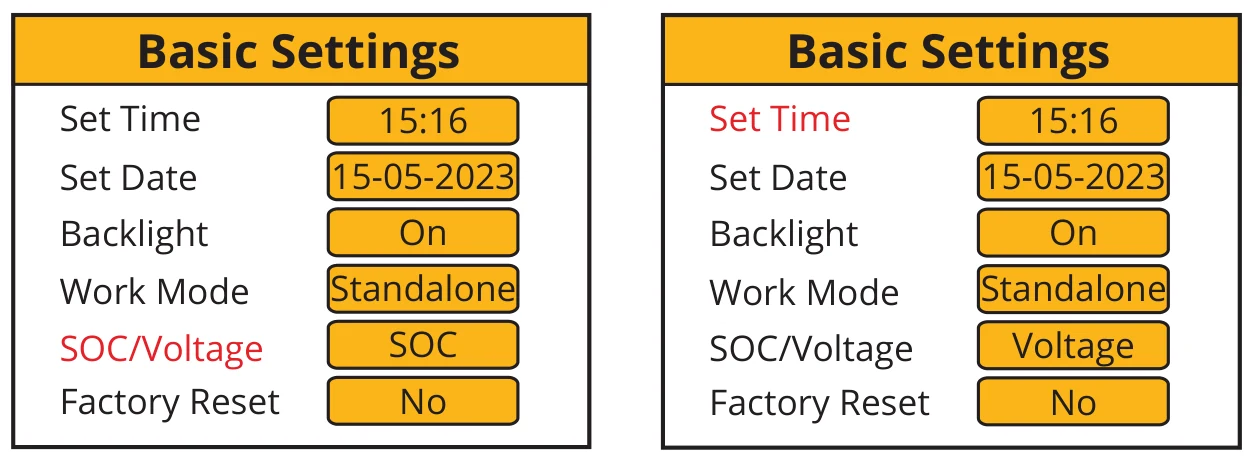
What does this page display?
- Time
- Date
- Backlight on / off
- Work Mode
- SOC/Voltage
- Reset
What you can do from this page
- Set the system’s time
- Set the system’s date
- Set backlight
- Set the workmode
- Set the system SOC/Voltage
- Reset to factory default settings
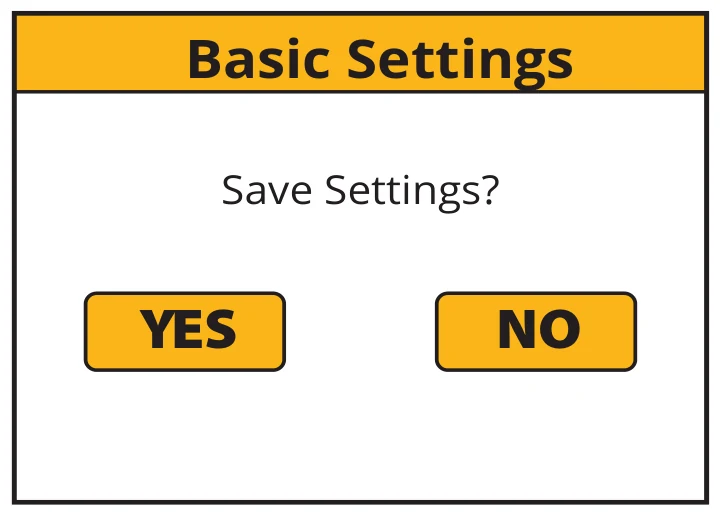
After changing the settings, do not forget to click save settings.
Language Settings
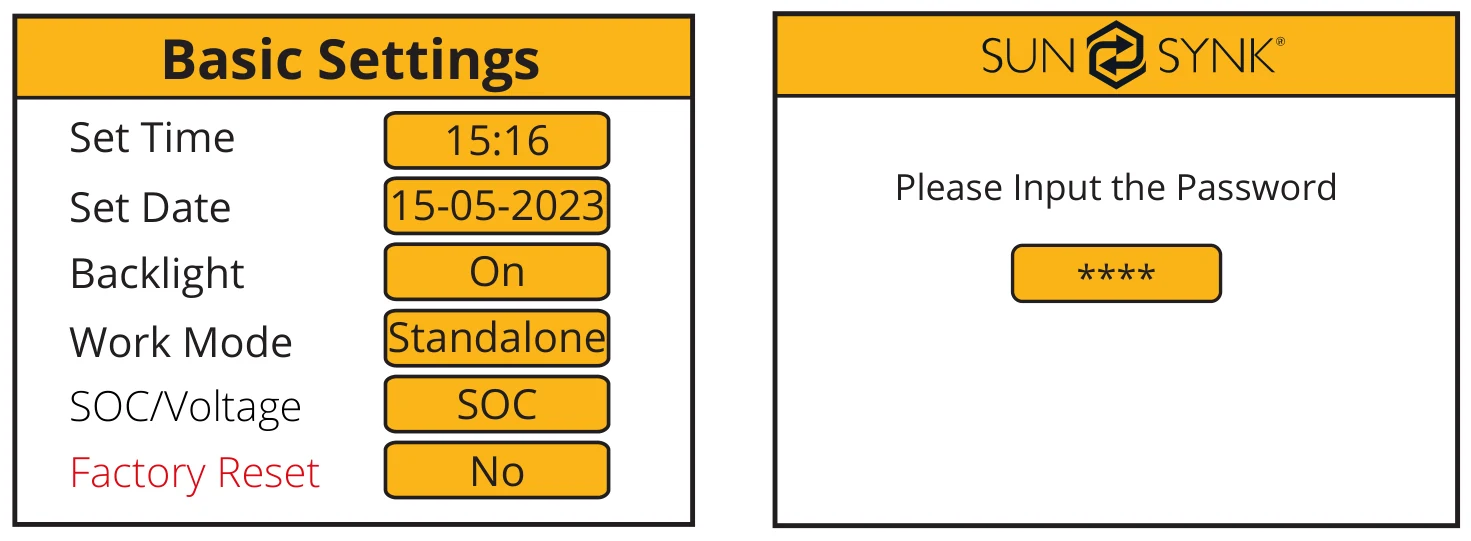
Change the language settings via the “Basic Settings” page by pressing the “Factory Reset” button. Then a password input page will be shown. The default password is “1234”.
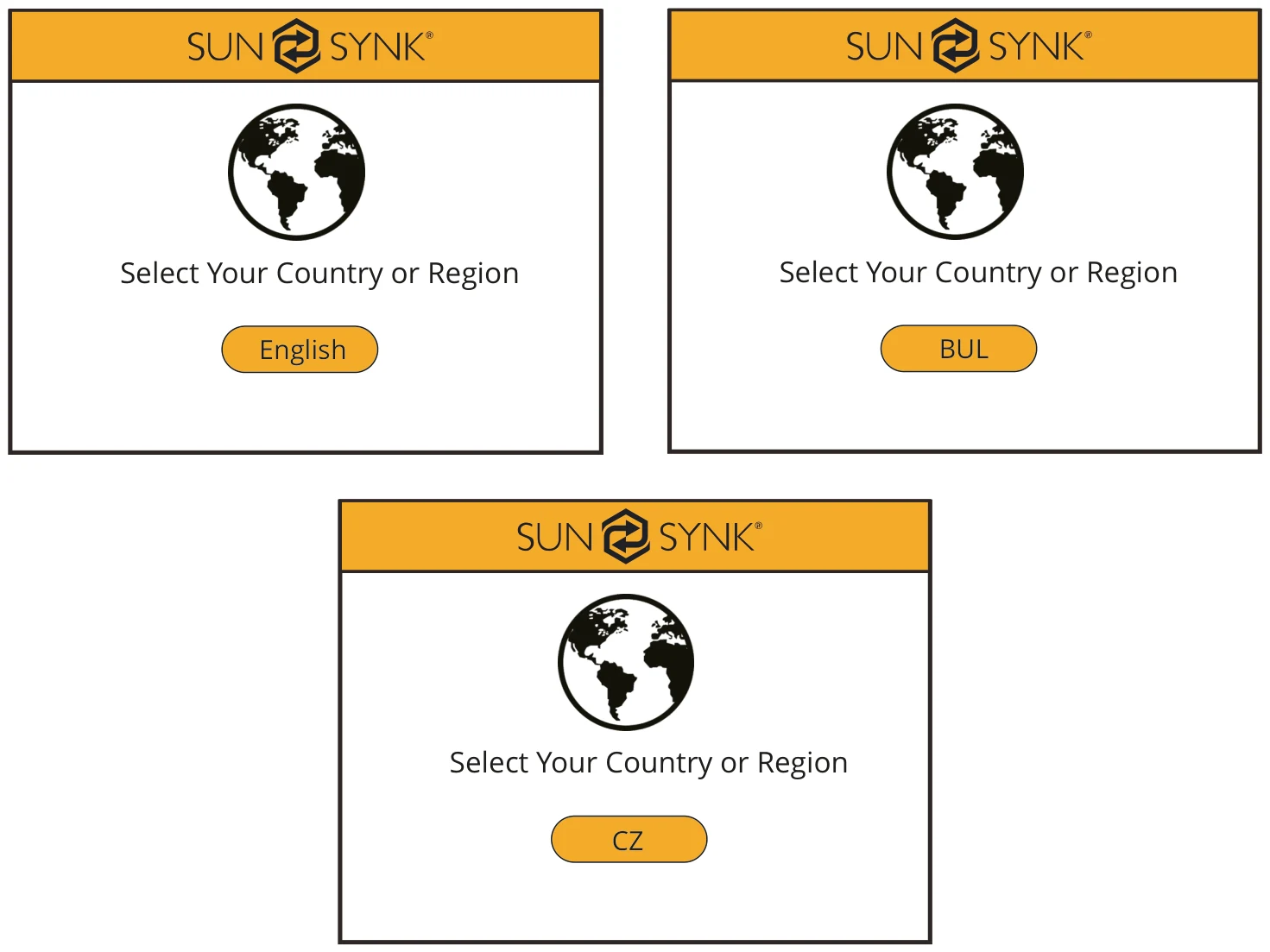
Then select the language according to your country or region by swiping right.
Grid Mode Settings
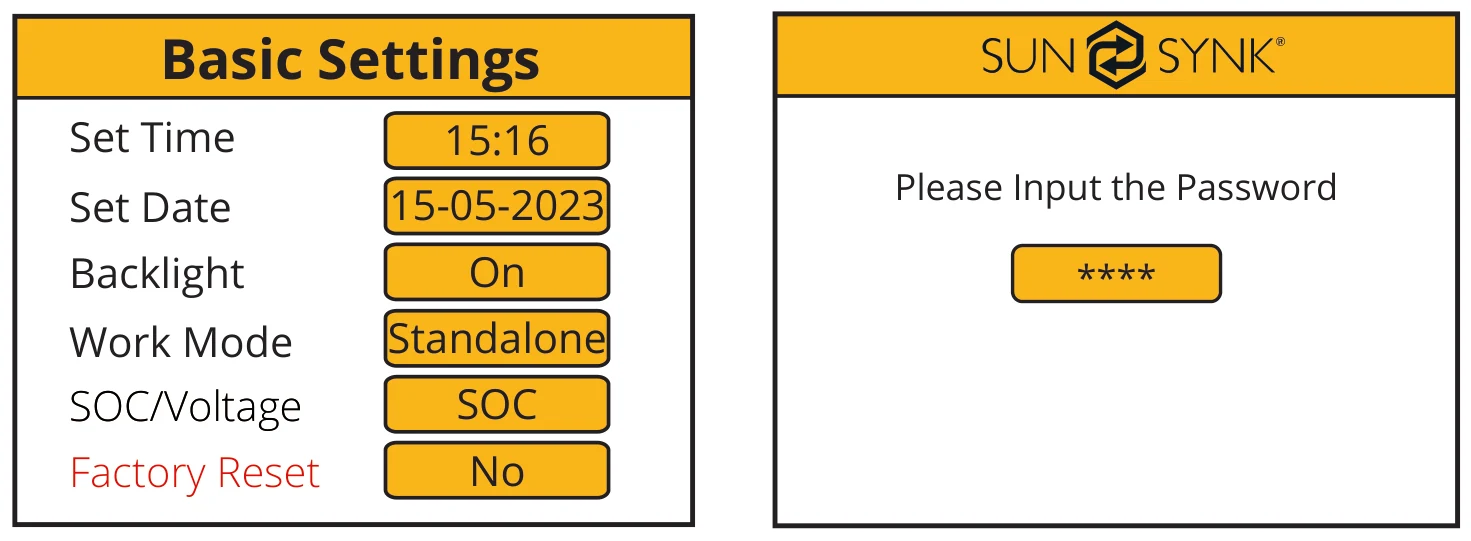
Change the language settings via the “Basic Settings” page by pressing the “Factory Reset” button. Then a password input page will be shown. The default password is “1234”.
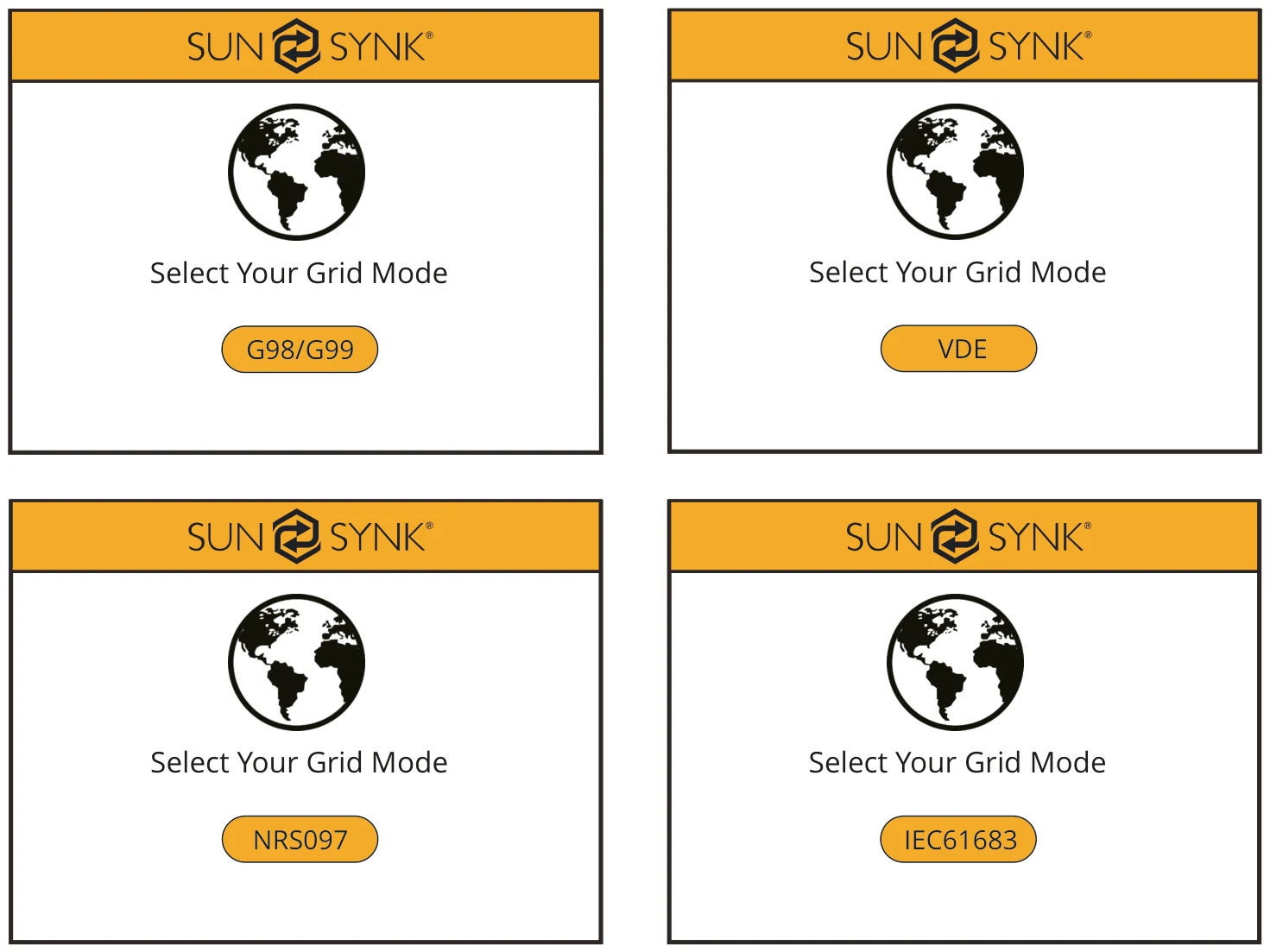
Then select the grid mode according to your region by swiping right.
Work Mode Settings
Change the work mode settings via the “Basic Settings” page by pressing the “Work Mode” button. Then a password input page will be shown. The default password is “1234”.
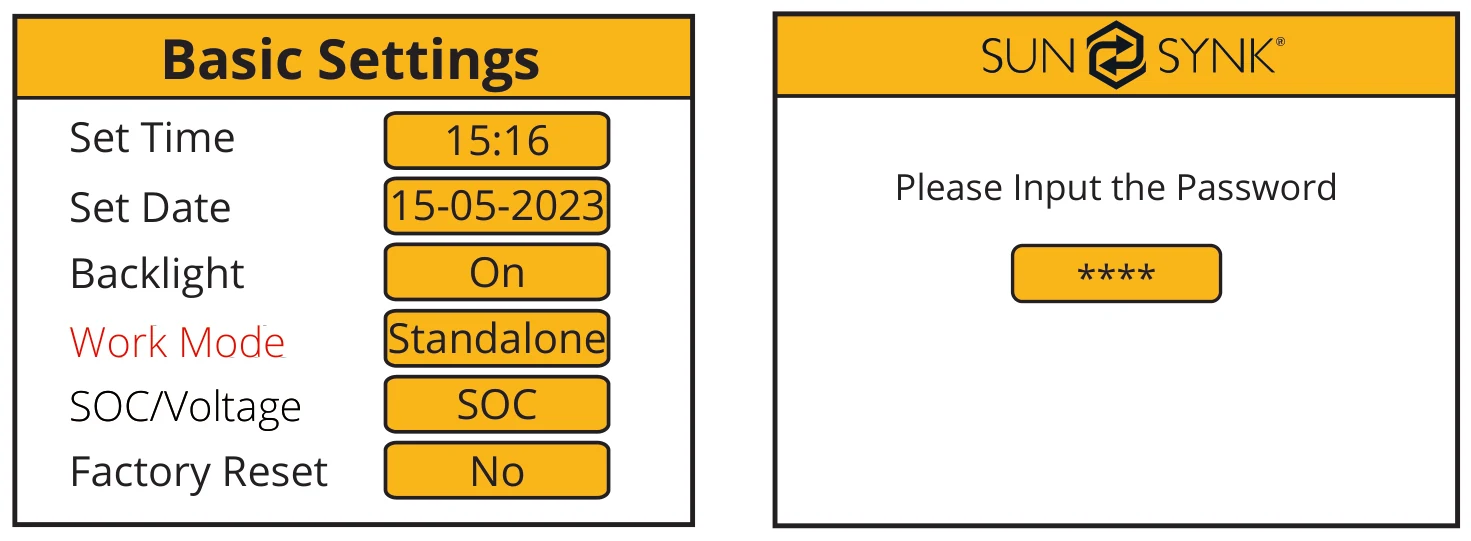
Then, the “Work Mode Settings” page will display.
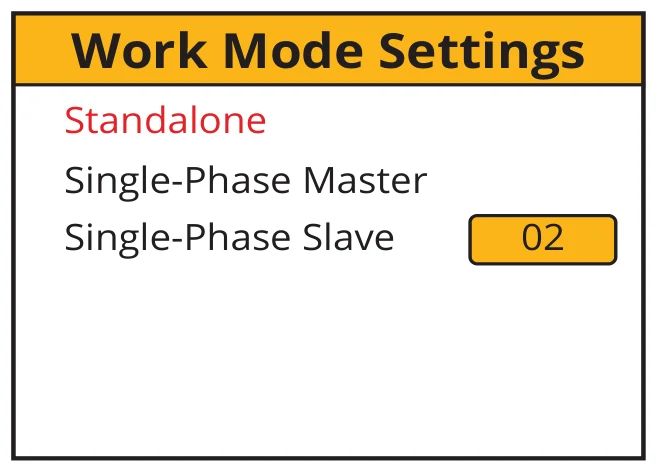
What does this page display?
- The Work Mode selected
- Single-Phase Master
- Single-Phase Slave number
What you can do from this page
- Change the number of Slave Inverters (maximum 15 slaves)
System Logger
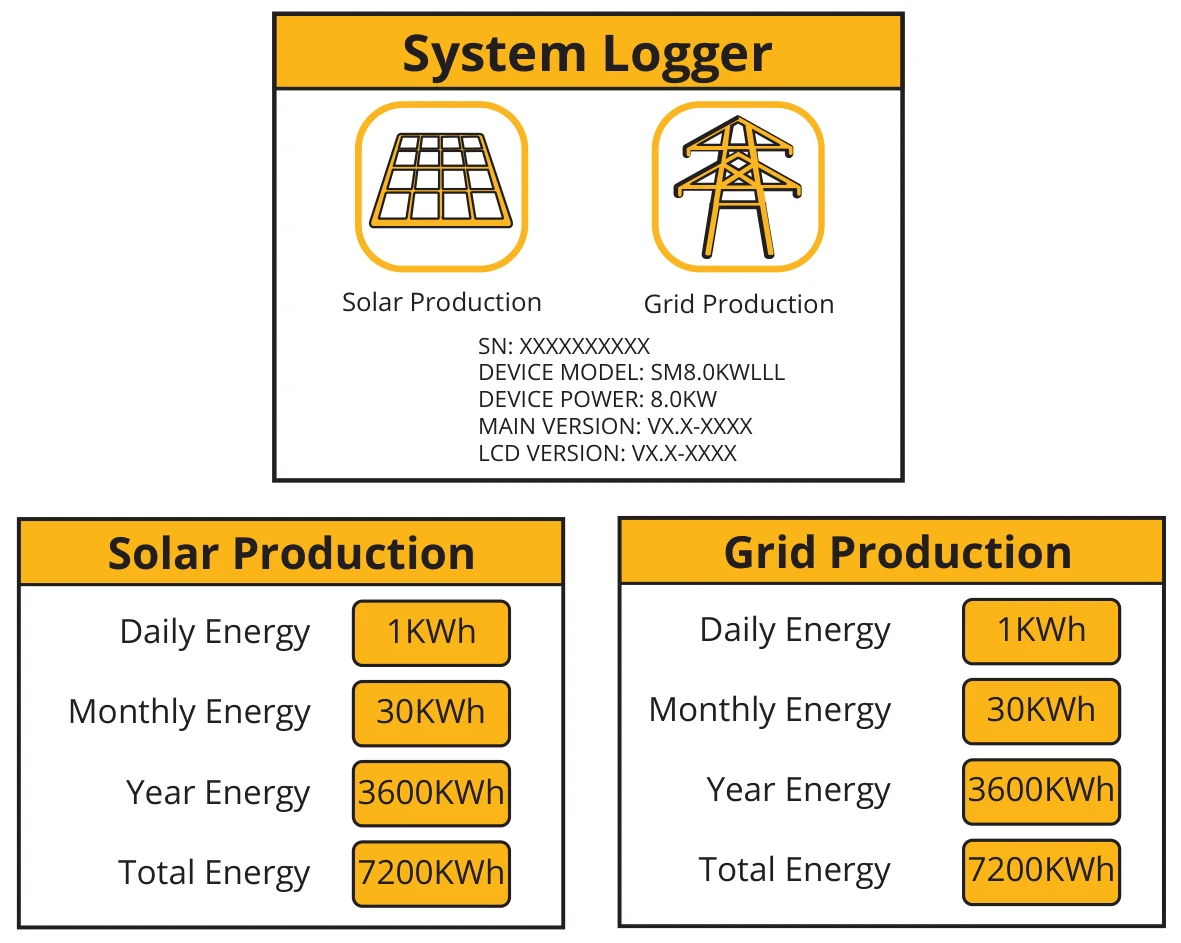
What does this page display?
- Solar production icon
- Grid production icon
What you can do from this page
- Daily solar energy produced
- Monthly solar energy produced
- Yearly solar energy produced
- Total solar energy produced
- Daily grid energy used
- Monthly grid energy used
- Yearly grid energy used
- Total grid energy produced
Advance Settings
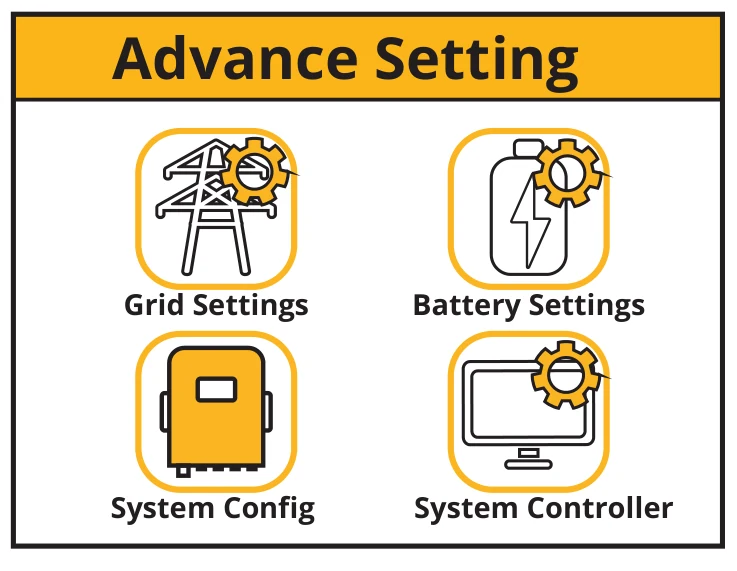
What does this page display?
- Grid Settings page icon
- System Configuration page icon
- Battery Settings page icon
- System Controller page icon
What you can do from this page
- You can access the grid, system, inverter, and battery setting pages.
Grid Settings
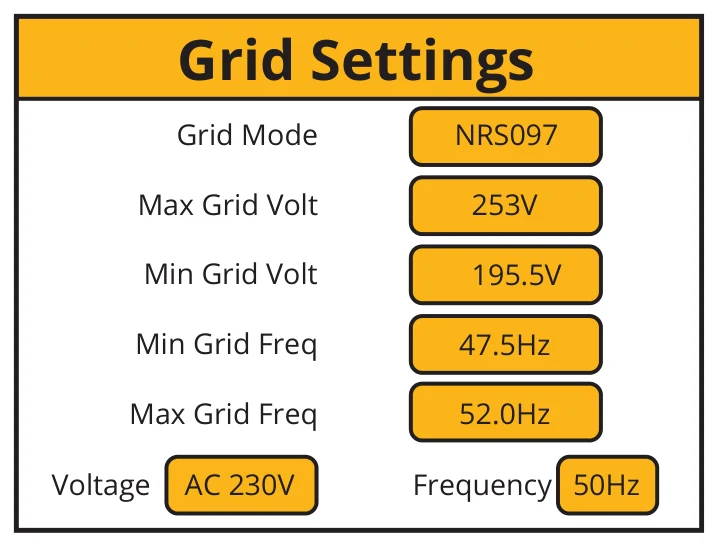
What does this page display?
- Grid Mode
- Maximum grid voltage allowed
- Minimum grid voltage allowed
- Minimum grid frequency
- Maximum grid frequency
Battery Settings
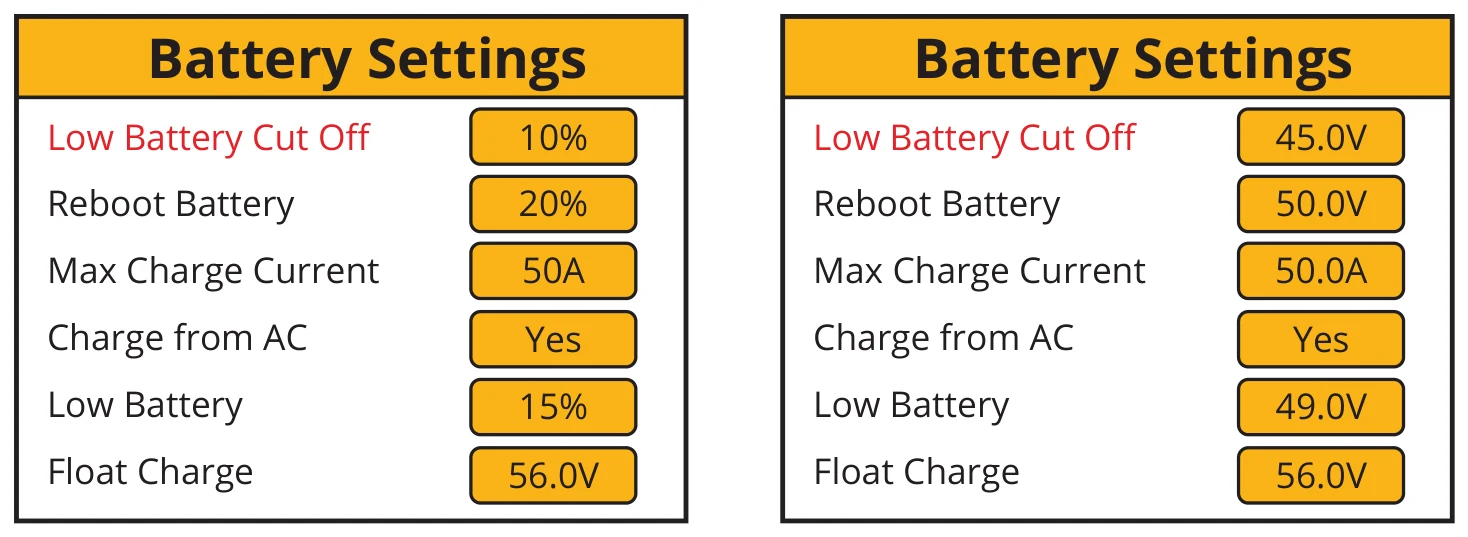
What does this page display?
- Low battery SOC/Voltage
- Reboot SOC/Voltage
- Maximum charge current
- Charge from the mains
- Low Battery SOC/Voltage
- Float charge SOC/Voltage
What you can do from this page
- Set a low voltage cut-off for the batteries. Before setting this, please refer to the battery characteristics.
- The reboot voltage is the voltage that the batteries must reach before the inverter switches on again.
- Maximum charge is the maximum current that the system will provide to charge the batteries. This is normally rated at 0.5C, the battery’s Ah (s) x 0.5. For example, if you have installed a 20Ah battery, then the maximum charge current should be set at 10A. The lower the setting, the longer the batteries will last.
- If charge from the mains is set as YES the batteries will charge from the mains grid.
- Float charge voltage must be set accordingly to the specifications of the battery used.
- Set the Low Battery Voltage to set the point where Low power mode will take affect.
If the Charge from AC is set to No, the battery cannot be charged from AC GRID. Otherwise, the battery can be charged from AC GRID.
System Settings
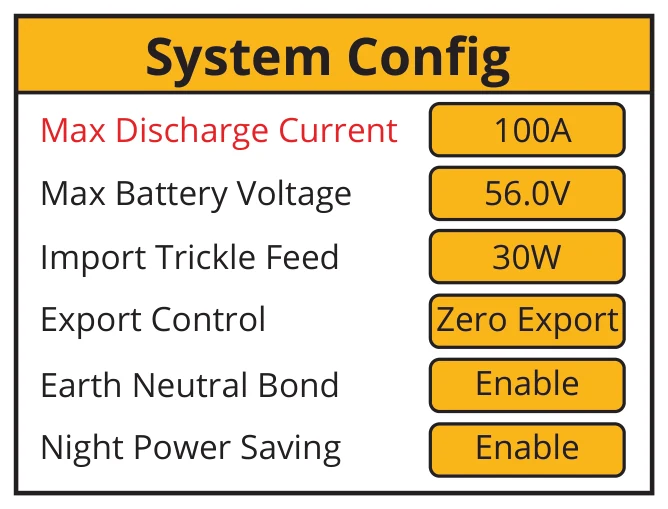
What does this page display?
- Maximum discharge current
- Maximum battery voltage
- Input power to prevent export
- Export Control
- Earth bonding
- Night Power Shaving
What you can do from this page
- Set the maximum discharge current from the batteries.
- Set the maximum voltage the batteries should be charged to.
- Set the “Import Trickle Feed” from GRID, minimum 20W.
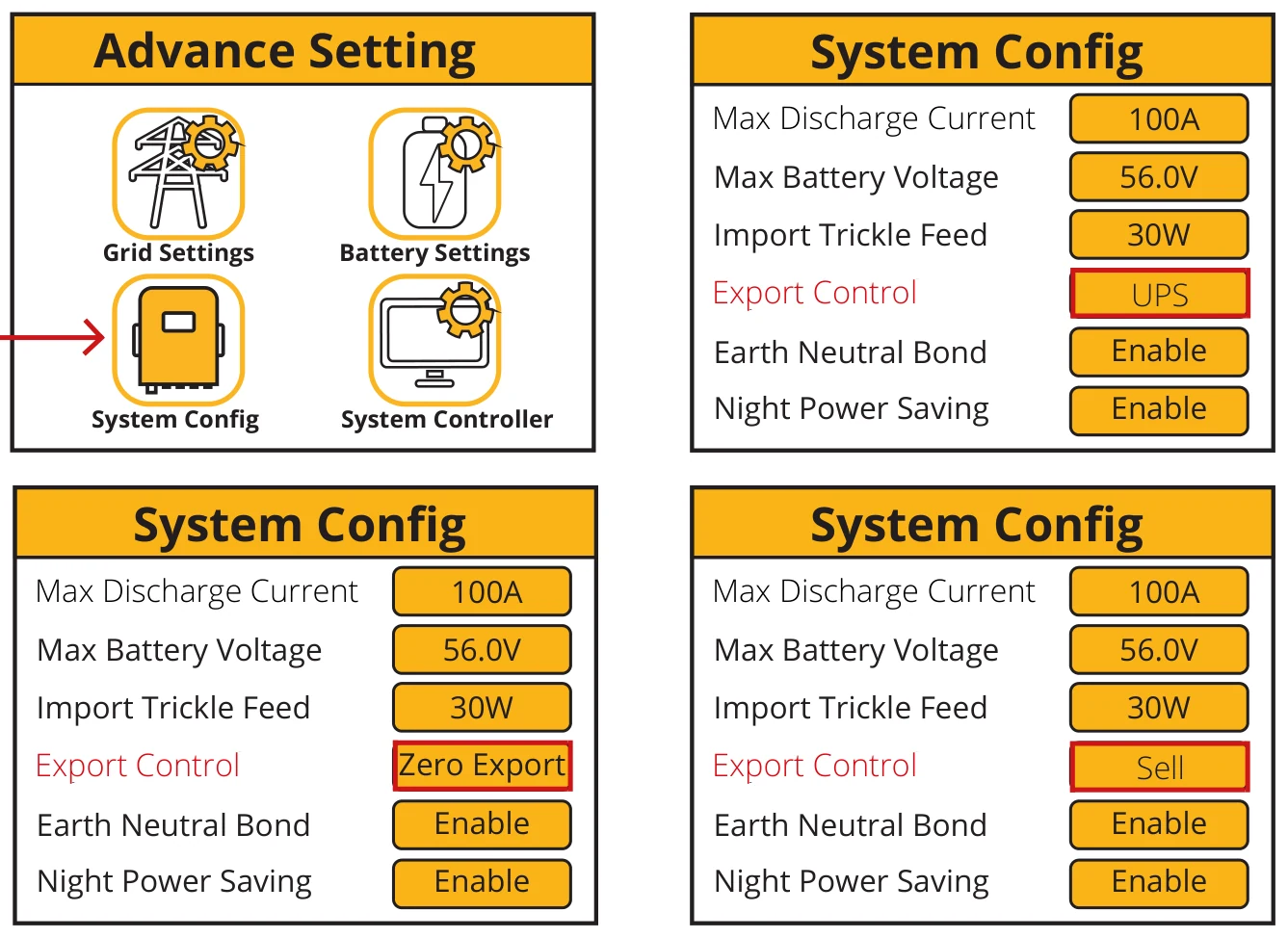
- Set the “Export Control”. Could be “UPS”, “Zero Export”, and “Sell”.
- If Earth Neutral Bond is enabled, the relay will make and earth neutral bond on the load port of the inverter after the grid power fails. This is for earth leakage devices to function correctly on this island circuit.
- The Night Power Saving can be set to “Enable” or “Disable”.
Export Control
The Export Control can be set as “UPS”, “Zero Export” and “Sell”.
- “UPS”
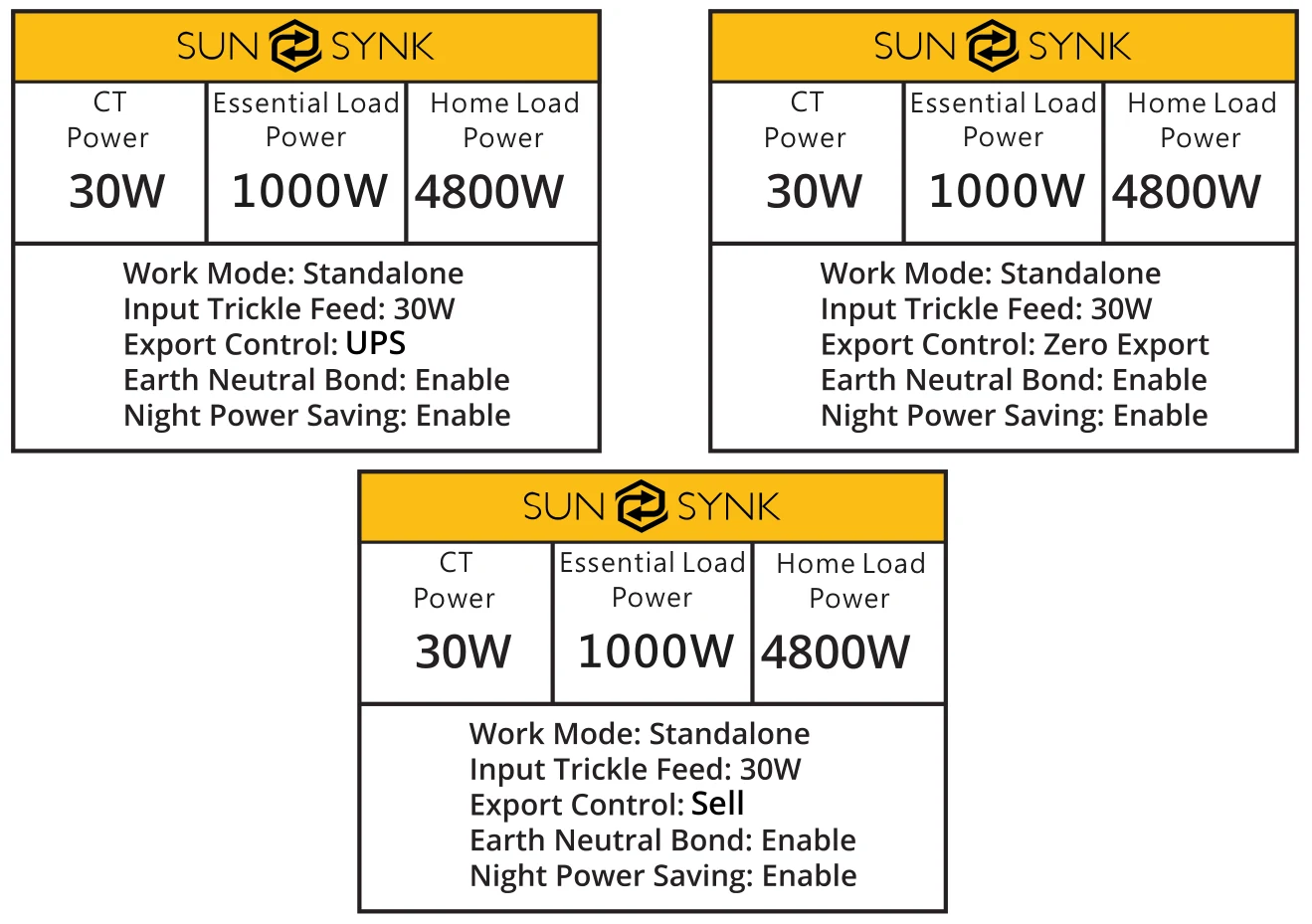
When the “Export Control” is set to “UPS”, the inverter will not export power to the home load via the “GRID” connector, just power the essential load that is connected to the “LOAD” connector. When the “Charge from Main” is set to “Yes”, the battery can be charged from the main AC and PV, and the charge time period can be set via the “System Controller” page.
In the “System Controller” page, when the “charge” option is set to “N”, the inverter will not be charged by the main AC from ”Start Time” to “Stop Time” in this time period. When the “Charge” option is set to “Y”, the battery will be charged by the main AC from ”Start Time” to “Stop Time” to “Vol” setting value in this time period.
- “Zero Export”
When the “Export Control” is set to “Zero Export”, the inverter will export power to the home load via the “GRID” connector and power the essential load that connected to the “LOAD” connector at the same time. The export power to the home load will not exceed the total power of the home load, so there is no exceeded power feed out, this is called “Zero Export”. A CT (Limit) must be connected to the inverter in this work mode.
- “Sell”
When the “Export Control” is set to “Sell”, the inverter will sell back any excess power produced by the solar panels to the grid. The power selling time and power settings are determined by “System Controller”.
Export Sell to Grid
- Press the Settings button on the main screen.
- Select Advanced Settings.
- Select “System Config”. In the “Export” option, you can select the “UPS”, “Zero Export” and “Sell”. If you want to sell electricity, choose “Sell”.
Which operating mode the machine is working in is shown in the following screens:
The power selling time and power settings are determined by the setting screen below.
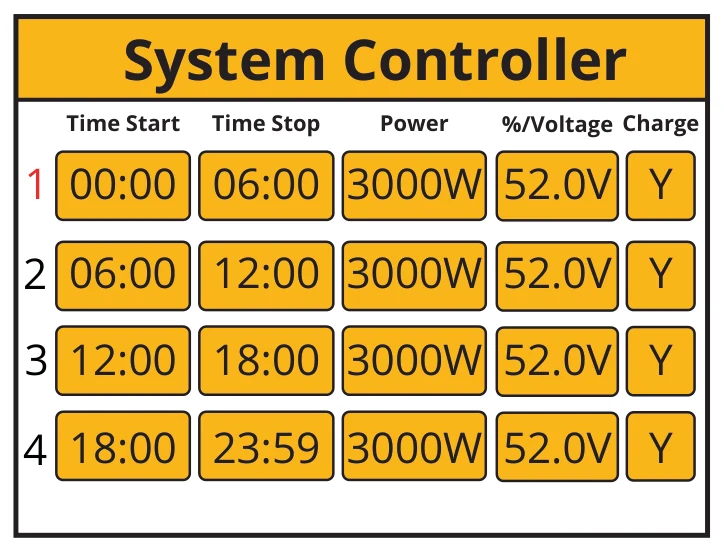
This would only allow users to control the amount of power sold from the power stored in the pack. Any power from the PV above a set voltage or SOC is sold to the grid.
Charge From Main
The Charge from Main can be set to “Yes” or “No”. When it is set to “Yes”, the inverter can be charged by the main AC and PV. When it be set to “No”, the inverter will just can be charged by PV, and can’t be charged by the main AC.

When the “Charge from Main” is set to “Yes”, the inverter can be charged from the main AC and PV, and the charge time period can be set via the “System Controller” page.
In the “System Controller” page, when the “charge” option is set to “N”, the inverter will not be charged by the main AC from ”Start Time” to “Stop Time” in this time period. When the “Charge” option is set to “Y”, the inverter will be charged by the main AC from ”Start Time to “Stop Time” till to the “Vol” setting value in this time period.
Earth Neutral Bond
The Earth Neutral Bond can be set to “Enable” or “Disable”. When is set to “Enable”, this will provide the earth is connected to GRID earth when GRID has power. When it is set to “Disable”, this function will not be available.

Night Power Saving
The Night Power Saving can be set to “Enable” or “Disable”. When is set to “Enable”, the Night Power Saving function will be available. When it is set to “Disable”, this function will not be available.
”Night Power Saving” just can work when the “Charge from AC” is set to “No” and there is no PV power input.
The Night Power Saving working mode is described as follow:
- First, you need set the “Low Battery Voltage” value at the “Battery Settings” page of the LCD display.
- Then you need to set the “Night Power Saving” time periods and the value of “Vol” on the “System Controller” page.
There are 4 time periods, the inverter will discharge the battery till the battery voltage is equal to the value set at “Vol” section, if the values set are smaller than the value that set at “Low Battery Voltage”, when the battery voltage is equal to this value of “Low Battery Voltage”, then the inverter will stop its DC to DC converting, and the essential load connected to the “LOAD” connector will just be powered by the main AC. Because the most standby power consumption of the inverter is caused by the inverter’s DC to DC converting, so when the inverter stops its DC to DC converting, the standby power of the inverter will be much lower, this can save a lot of power consumption.
When there is PV power input, then the inverter’s DC to DC converting will work again, because without this converting, the batter packs can’t be charged.
Please remember that when the inverter is working on the “Night Power Saving” state, when the main AC is off, the UPS function shift time will be longer, can’t be immediate, it will take around 30 seconds.
Setting Details
- UPS Mode
This mode function is set, the inverter output is from the load only and will not export any power to the GRID even if it is connected. Set the Charge from AC by “Yes” and Export Control set by “UPS”.
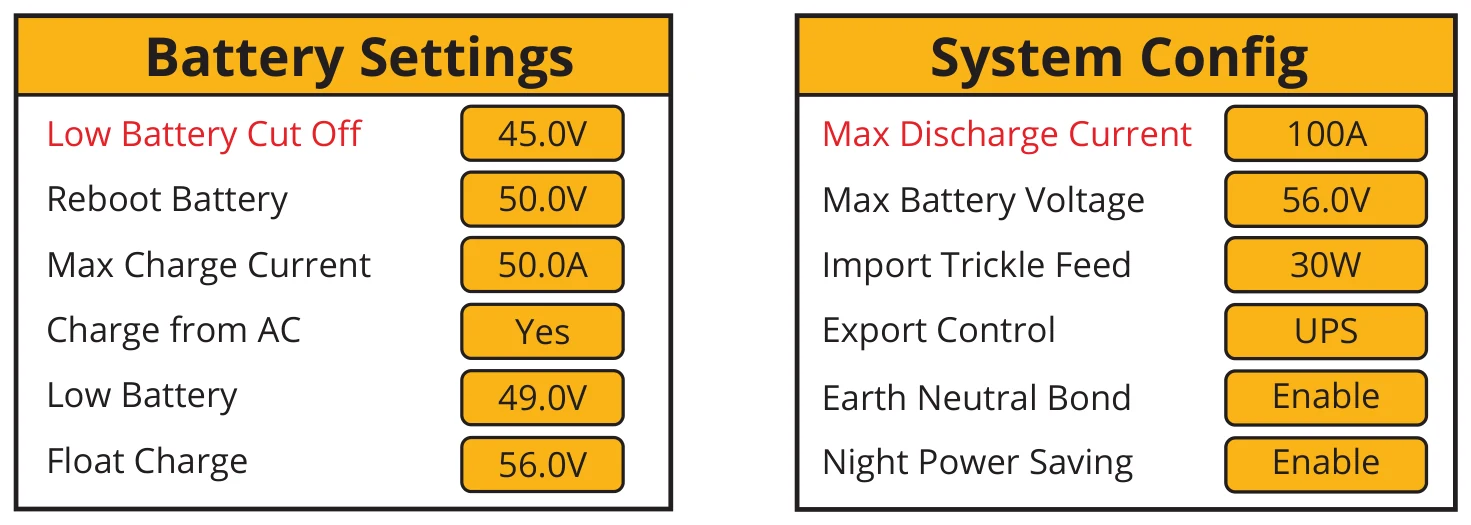
Set the time to keep to charge the battery at the %voltage. If PV is not connected, suggest to set %voltage to 56V and set all time range to Y. Start to charge battery time by selecting the Charge Y or N
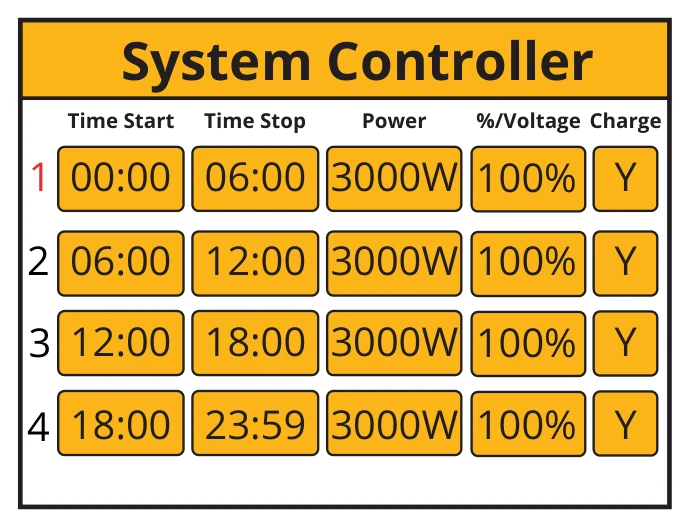
- Zero Export Mode
This mode function allows the inverter to export power to the home load via the “GRID” connector and power the essential load connected to the “LOAD” connector simultaneously. When zero export is ON, the inverter will export energy to the grid. The maximum power will not exceed the total load power of the grid.
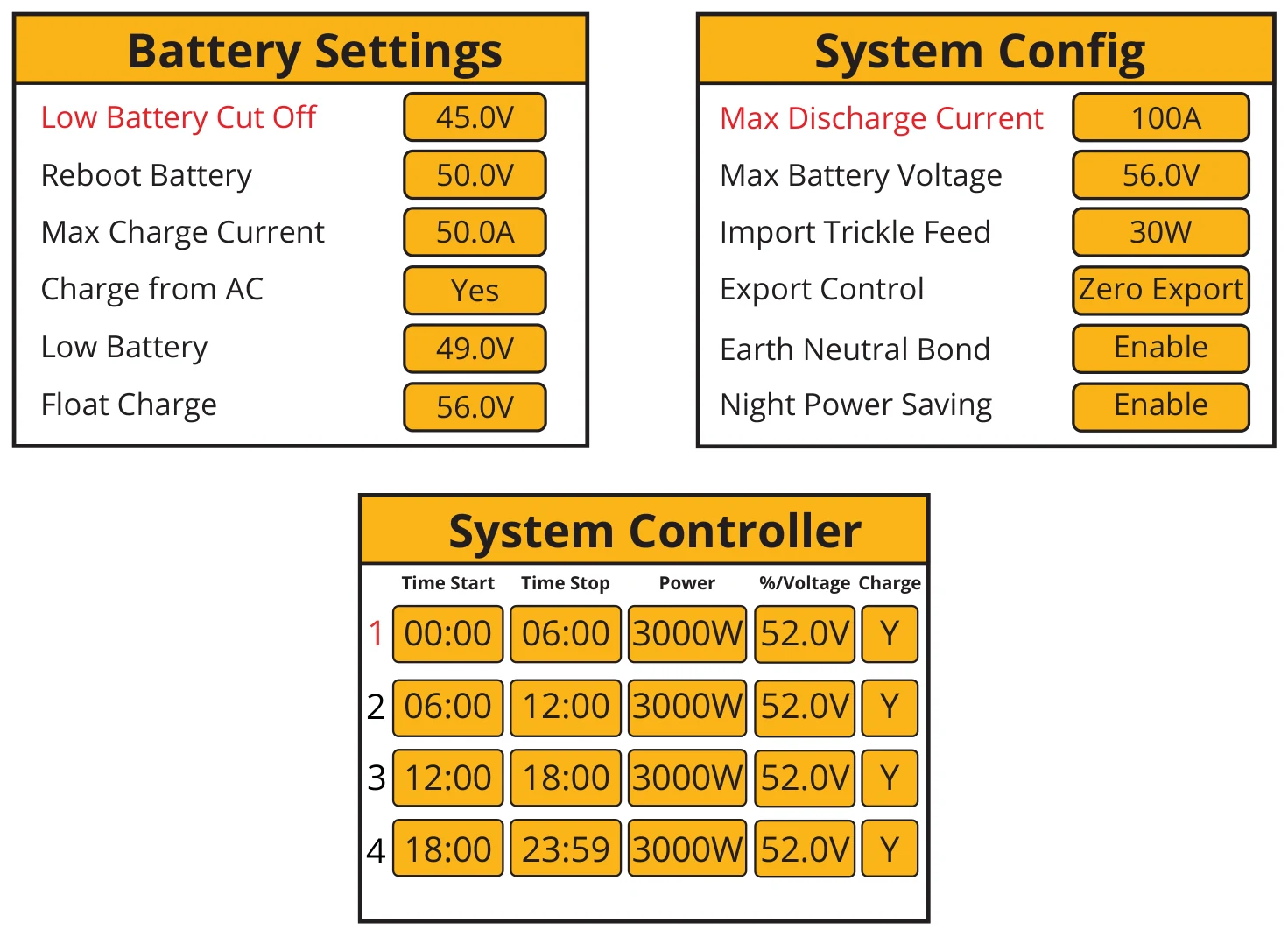
- Night Power Saving
When there is no PV, and the battery is not charged from AC, the output power will be to the load from the battery. When the battery level is equal to the battery set in the system control in that time period, and it is set to Y, then the inverter will run at a low power level from GRID to maintain the battery level is not dropped to shut down the inverter. The load power consumption will come from GRID. The setting will be as below.
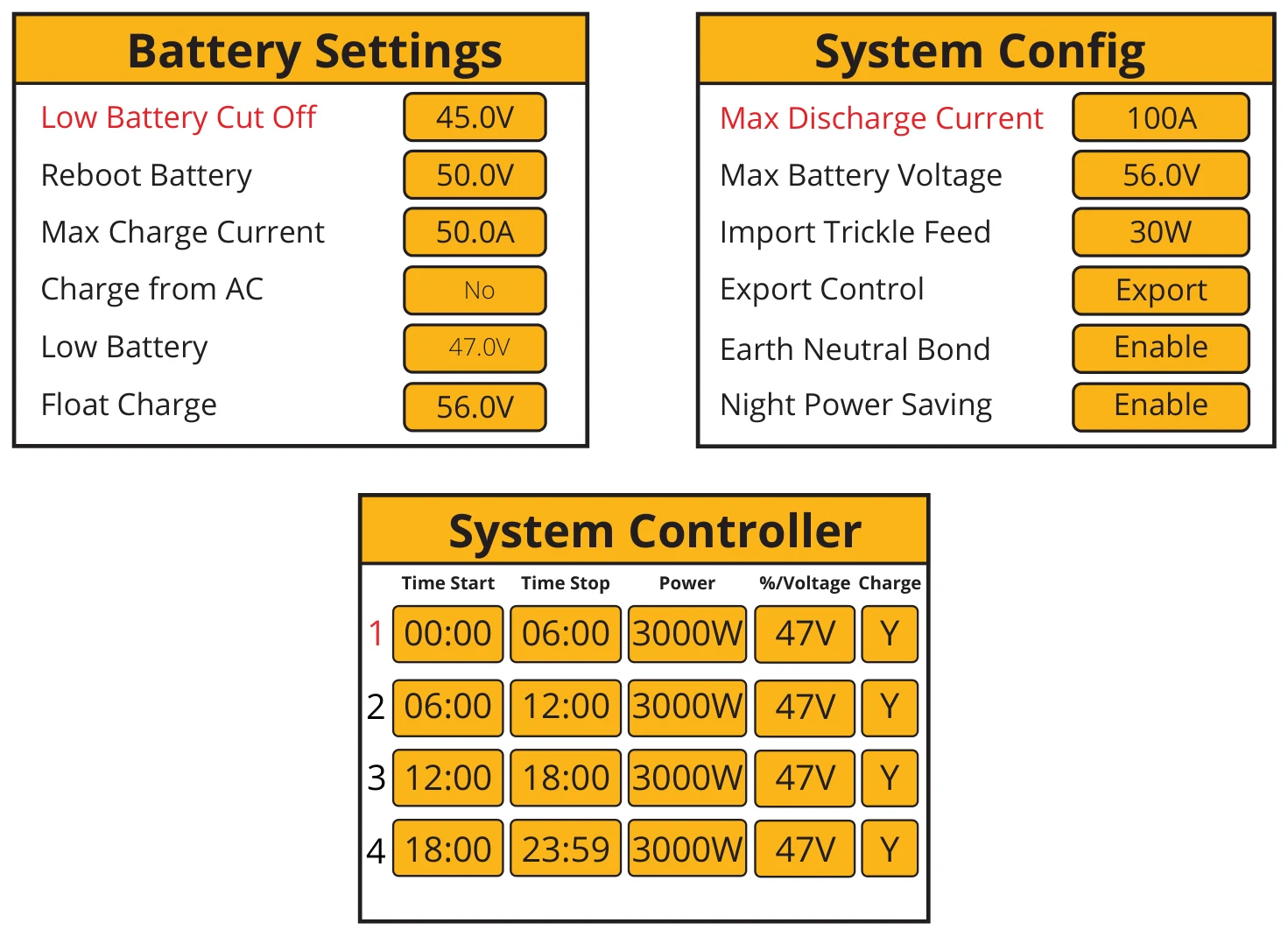
If the low battery voltage is set higher, the %voltage will be placed higher accordingly.